

AI automation
AI agents and workflows that remove real work
We design n8n workflows, AI agents, and integrations around how your business actually runs, then operate them on our own n8n instance with the model that fits each job.
- published n8n templates
- 17
- automation areas we build
- 8
- model families we work with
- 4
- on n8n.io
- Verified
What we automate
Eight areas, built and running
Every area below is something we have built and run. Where we published a working version as a public n8n template, it is linked.
-
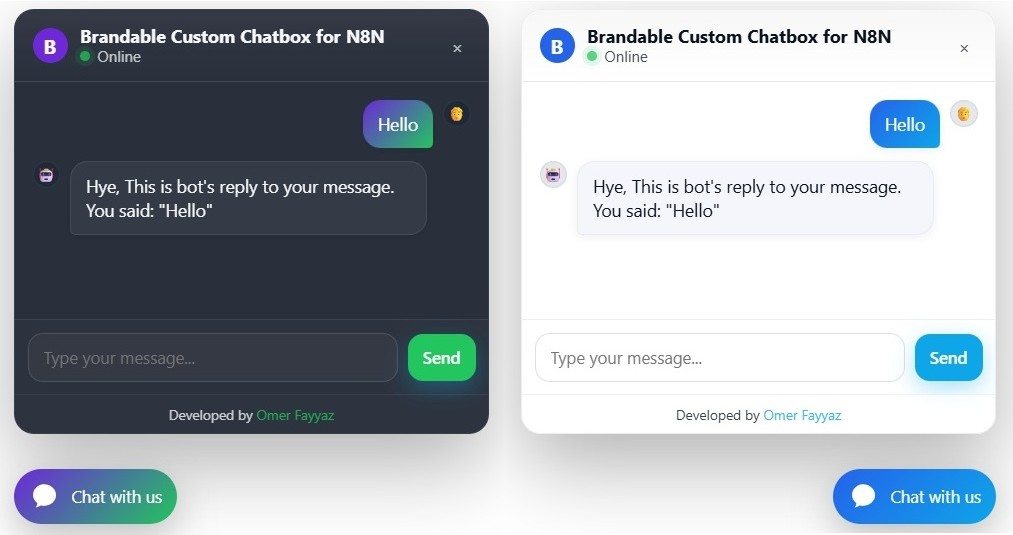
AI chat and customer support
Branded website chatbots that answer questions, capture leads, and book appointments, plus support agents that answer from your knowledge base and open tickets in WHMCS.
See the n8n template (opens in a new tab) -
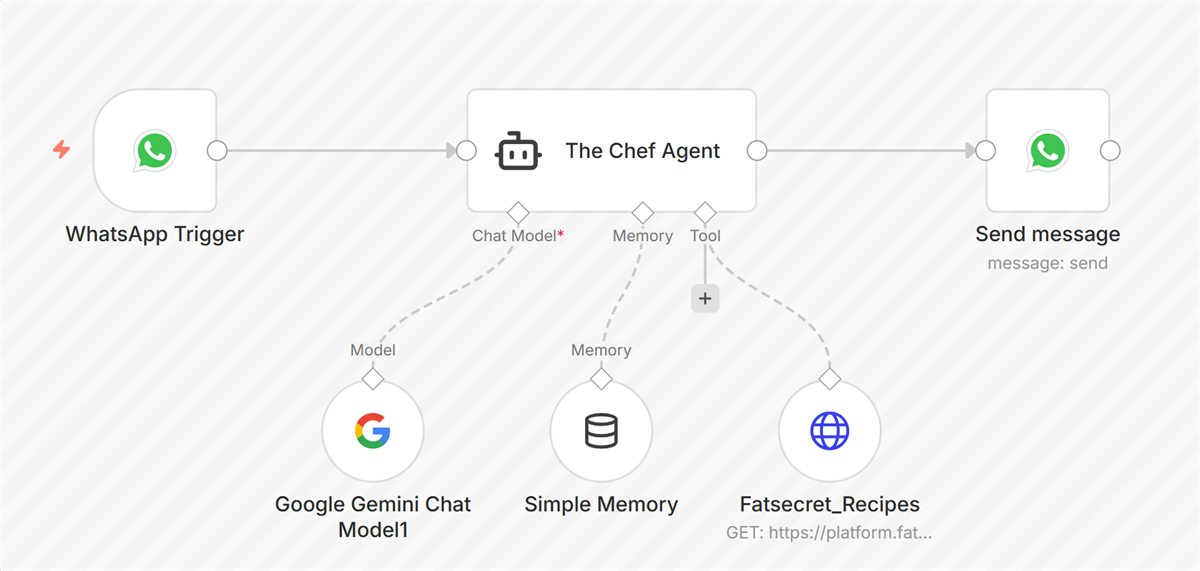
WhatsApp automation
Assistants that answer from live data, cash-on-delivery order confirmation with Confirm and Cancel buttons, and lead hand-off from your website to WhatsApp.
See the n8n template (opens in a new tab) -
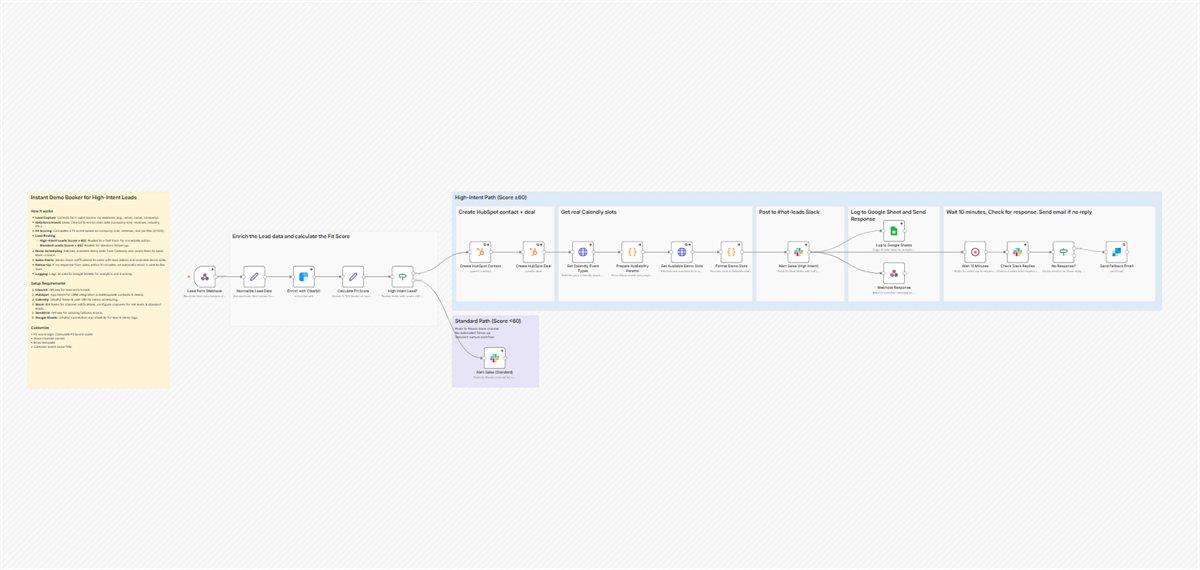
Lead generation and sales
Find and score local businesses, build a personalized demo site for each lead, and book demos for high-intent leads with Clearbit, Slack, and Calendly.
See the n8n template (opens in a new tab) -
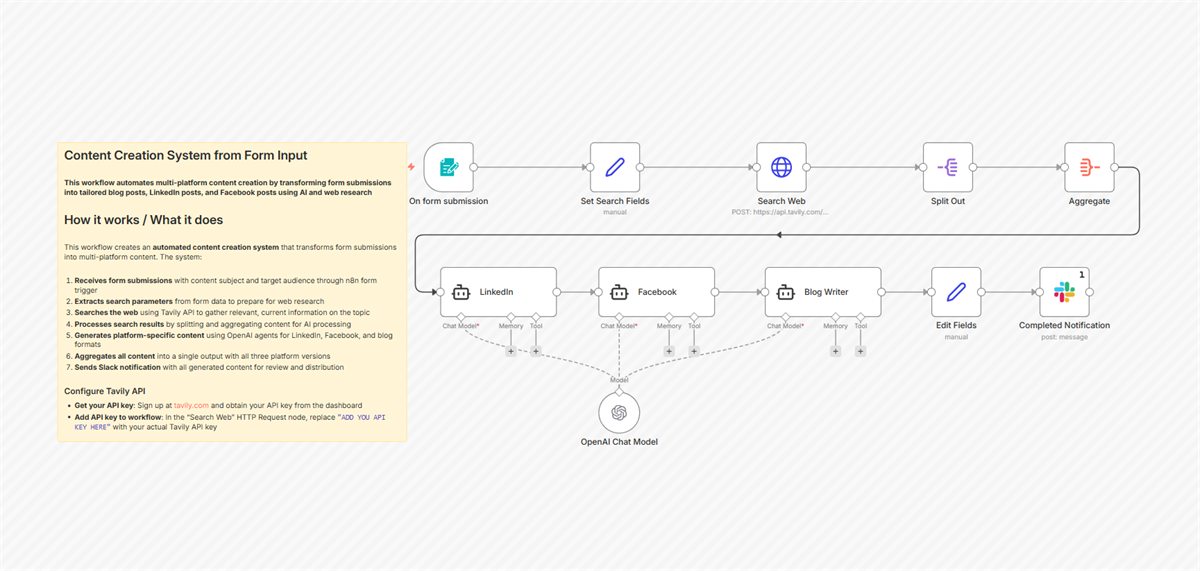
Content and marketing
One brief becomes a researched blog post, a LinkedIn article, and Facebook posts. News digests land in Slack, and nothing publishes without human approval.
See the n8n template (opens in a new tab) -
Research and documents
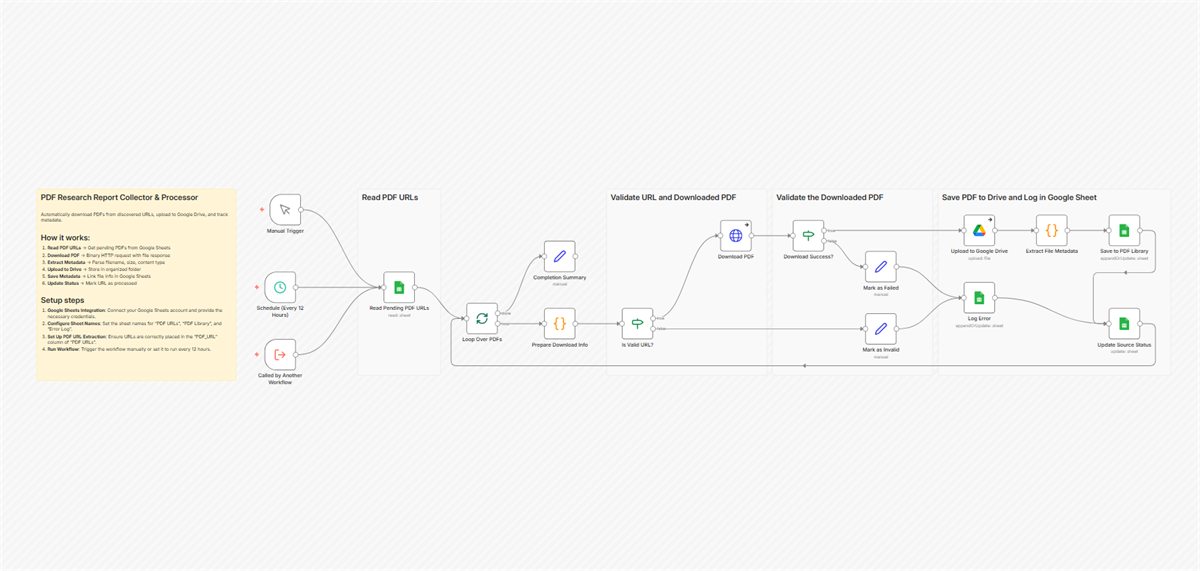
Discover and extract articles and reports across many websites, and file PDF reports into Google Drive with an index kept in Sheets.
See the n8n template (opens in a new tab) -
Billing and operations
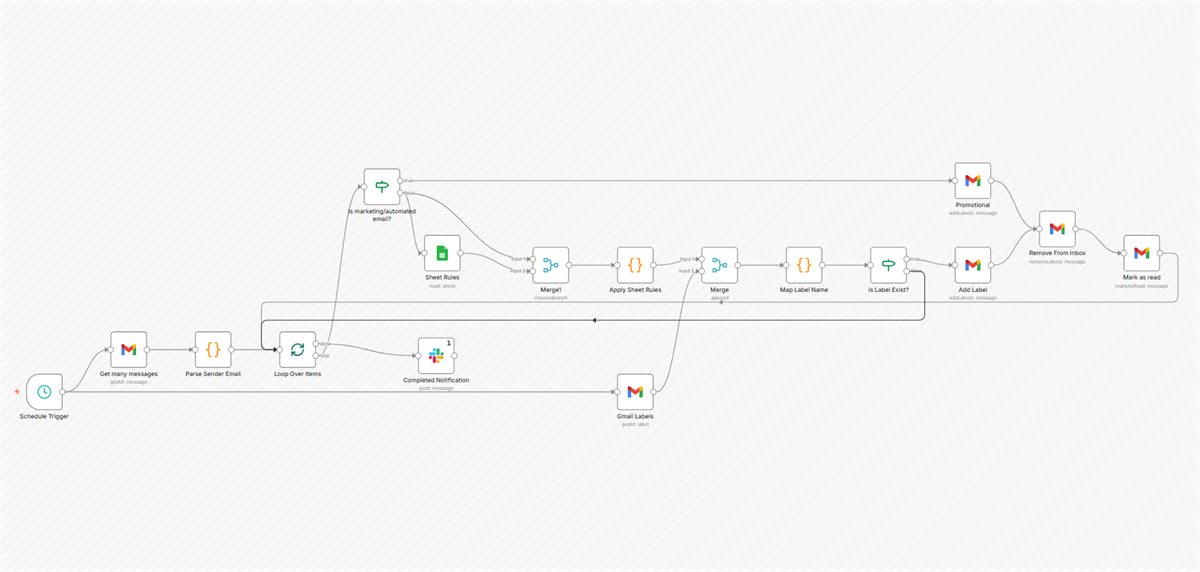
Invoices, late fees, reminders, and cPanel provisioning run on their own, and inboxes sort themselves by rules you keep in a sheet. We have mapped about 50 WHMCS automations for hosting businesses.
See the n8n template (opens in a new tab) -
AI agents on your systems
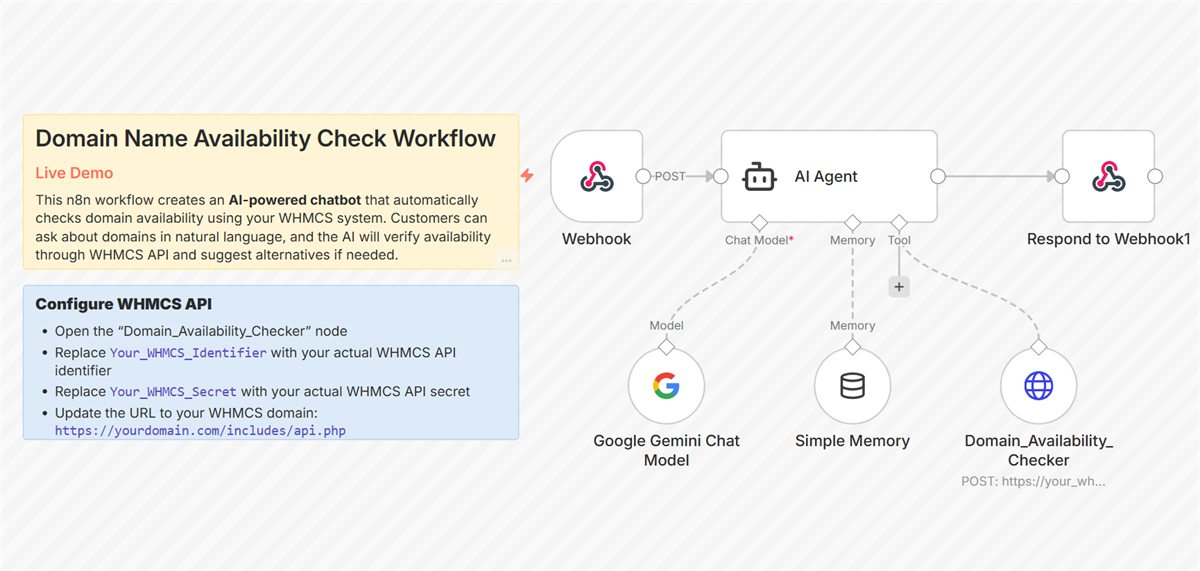
Agents and Claude connectors (MCP servers) that act on live business data within set limits, such as checking domain availability through the WHMCS API.
See the n8n template (opens in a new tab) -
Reliability and DevOps
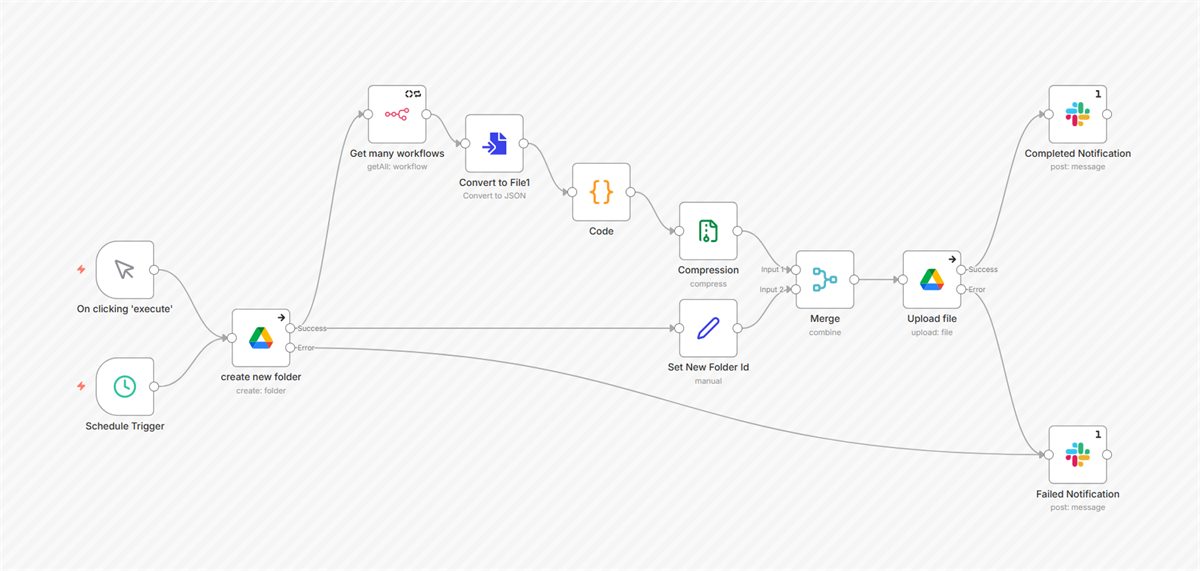
Workflow backups every four hours, push-to-deploy CI/CD, error tracking, and a self-hosted SMS gateway for OTPs and alerts.
See the n8n template (opens in a new tab)
Published on n8n.io
Seventeen workflows you can open and inspect
Our founder publishes production-ready templates on n8n.io as a Verified n8n Creator. Each one below is a real workflow, free for anyone to import.
-
Template 7416
Deploy AI-powered Website Chatbot with DeepSeek and Custom Branding
View on n8n.io
(opens in a new tab)
-
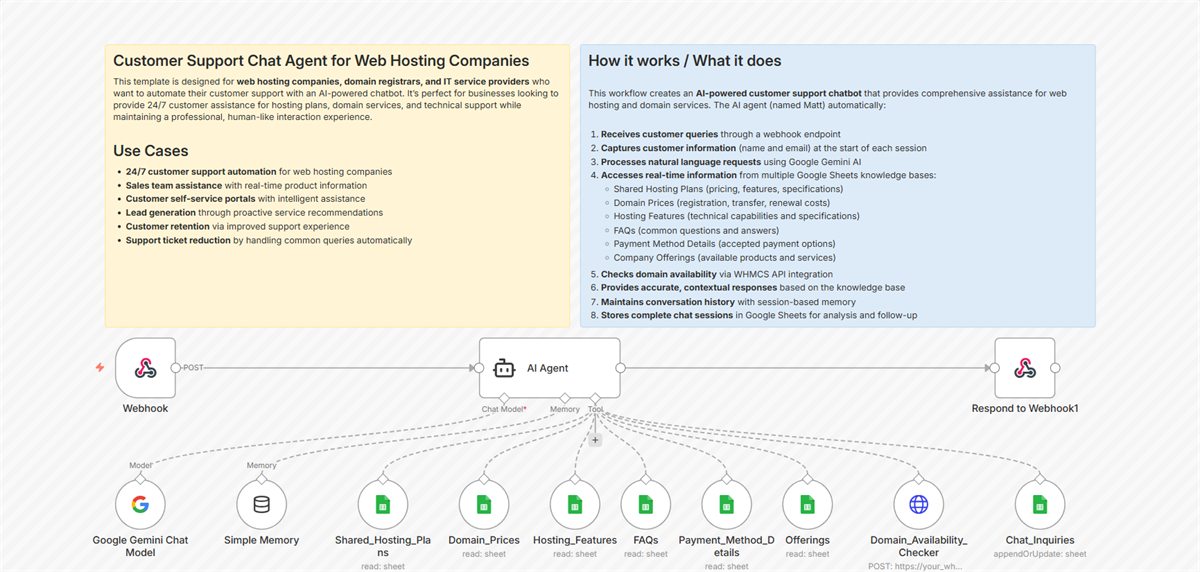 Template 7631
AI Customer Support Chat for Web Hosting with Google Gemini and WHMCS
View on n8n.io
(opens in a new tab)
Template 7631
AI Customer Support Chat for Web Hosting with Google Gemini and WHMCS
View on n8n.io
(opens in a new tab)
-
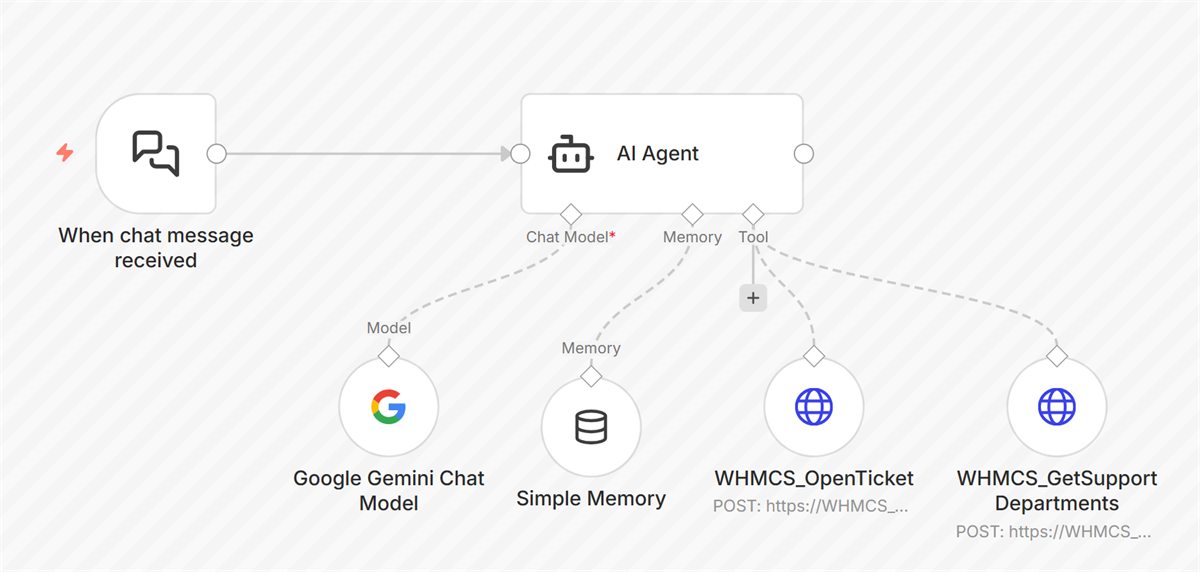 Template 7960
Automate WHMCS Support Ticket Creation with Gemini AI Chatbot
View on n8n.io
(opens in a new tab)
Template 7960
Automate WHMCS Support Ticket Creation with Gemini AI Chatbot
View on n8n.io
(opens in a new tab)
-
Template 7527
Domain Availability Checker Chatbot with Google Gemini and WHMCS
View on n8n.io
(opens in a new tab)
-
Template 7919
WhatsApp Recipe Suggestions from Pantry Items with Gemini AI and FatSecret API
View on n8n.io
(opens in a new tab)
-
Template 11200
Auto Schedule Demos for High-Intent Leads with Clearbit, Slack, and Calendly
View on n8n.io
(opens in a new tab)
-
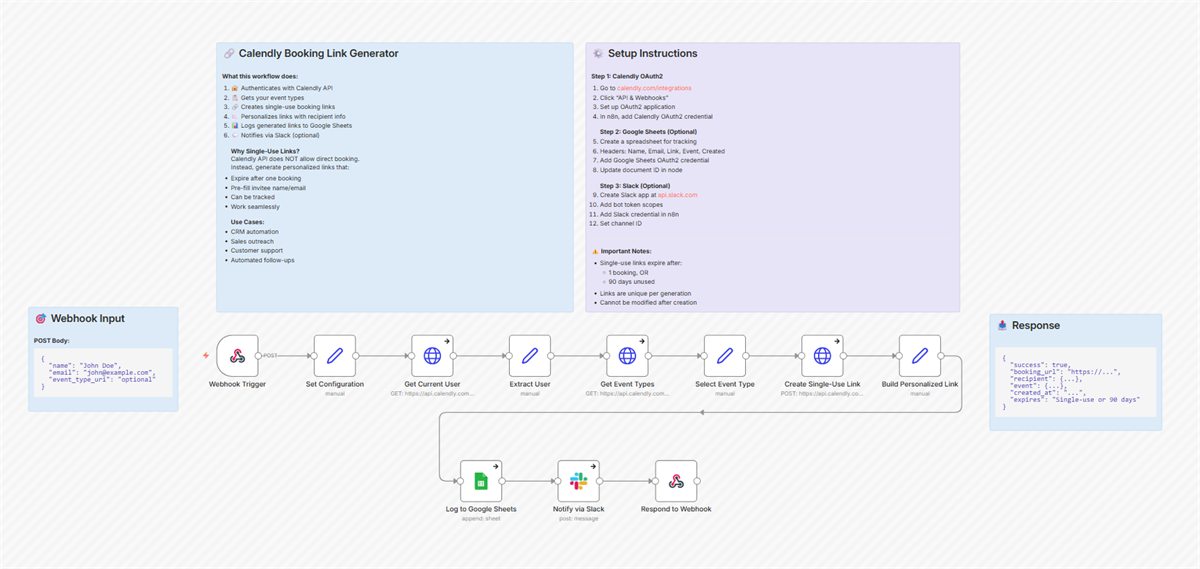 Template 11253
Generate Single-Use Personalized Calendly Links with Google Sheets Tracking and Slack Alerts
View on n8n.io
(opens in a new tab)
Template 11253
Generate Single-Use Personalized Calendly Links with Google Sheets Tracking and Slack Alerts
View on n8n.io
(opens in a new tab)
-
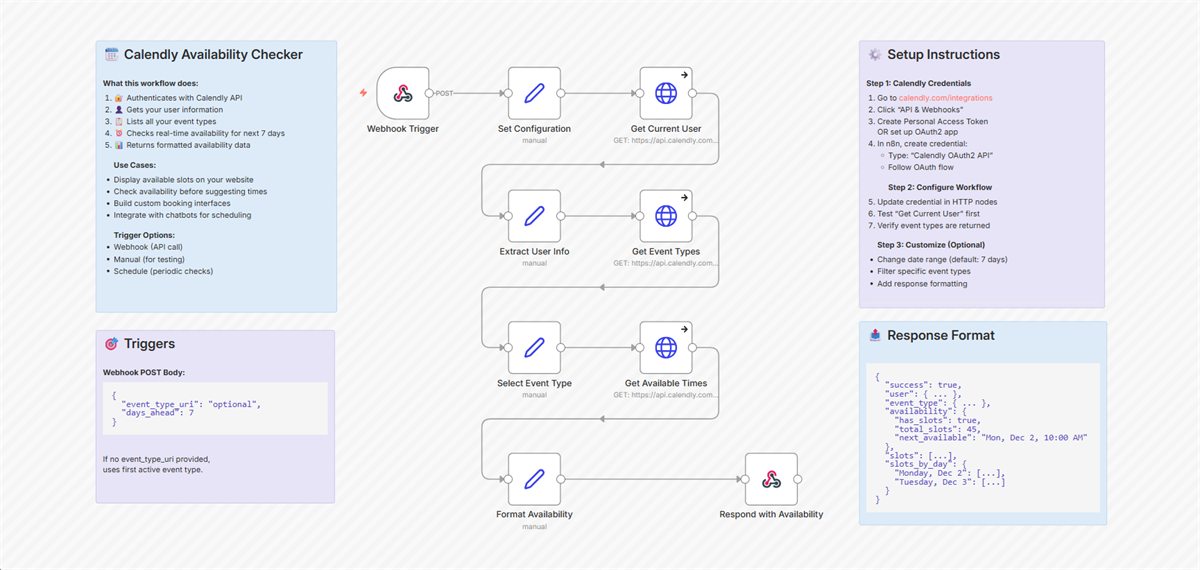 Template 11254
Create a Calendly Availability API Endpoint for Real-Time Scheduling Data
View on n8n.io
(opens in a new tab)
Template 11254
Create a Calendly Availability API Endpoint for Real-Time Scheduling Data
View on n8n.io
(opens in a new tab)
-
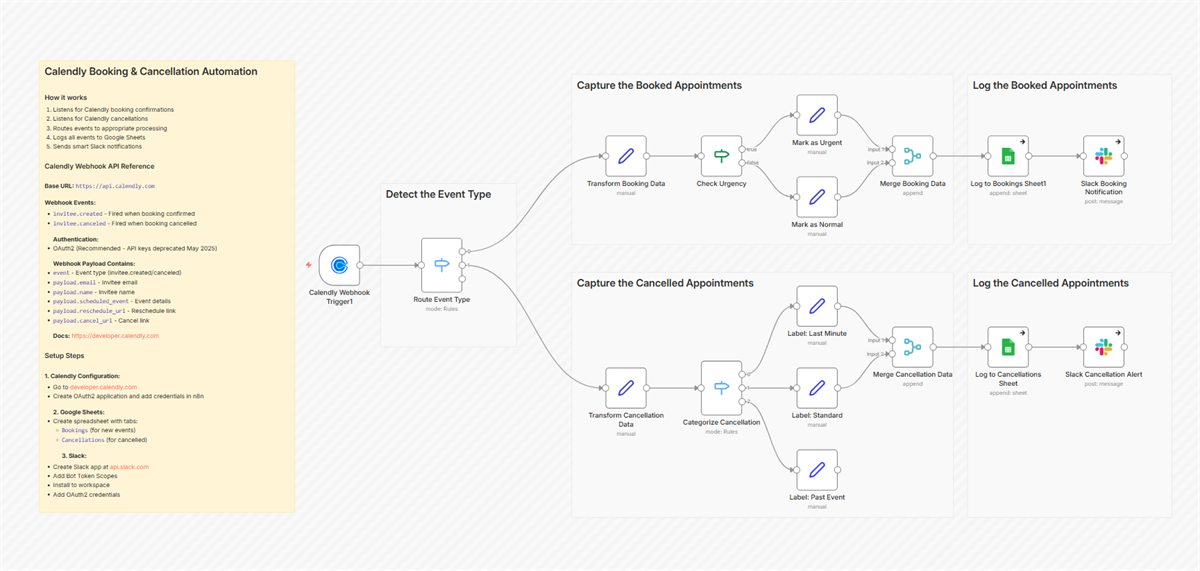 Template 11247
Track Calendly Schedule Changes with Google Sheets and Slack Notifications
View on n8n.io
(opens in a new tab)
Template 11247
Track Calendly Schedule Changes with Google Sheets and Slack Notifications
View on n8n.io
(opens in a new tab)
-
Template 8649
Generate Multi-Platform Content from Forms Using Tavily Research and OpenAI
View on n8n.io
(opens in a new tab)
-
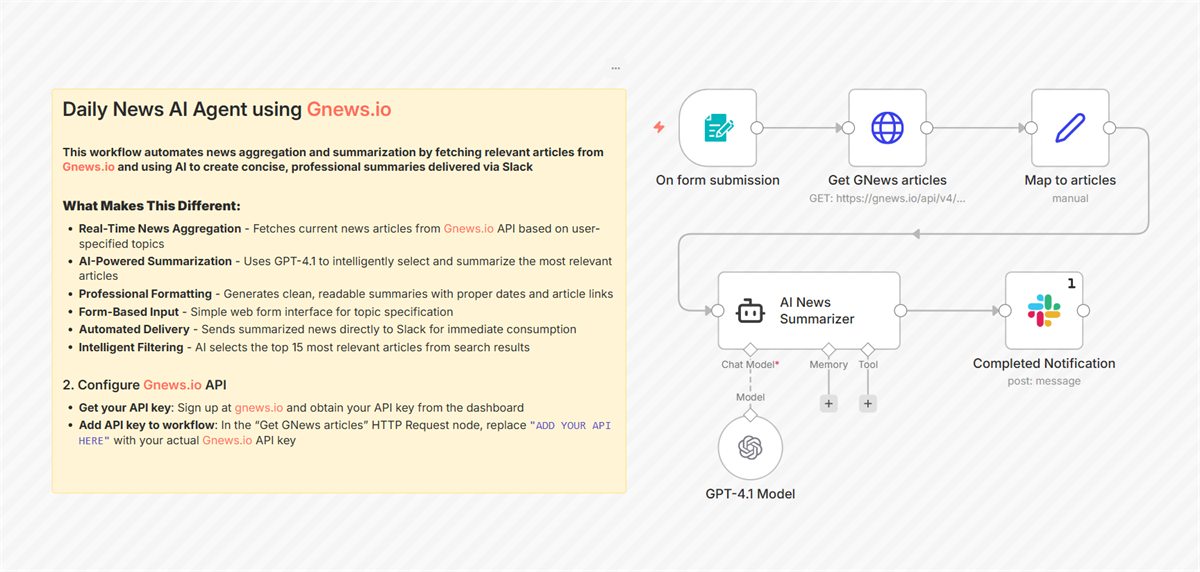 Template 8660
Generate AI-Powered News Summaries with GNews.io and GPT-4.1 to Slack
View on n8n.io
(opens in a new tab)
Template 8660
Generate AI-Powered News Summaries with GNews.io and GPT-4.1 to Slack
View on n8n.io
(opens in a new tab)
-
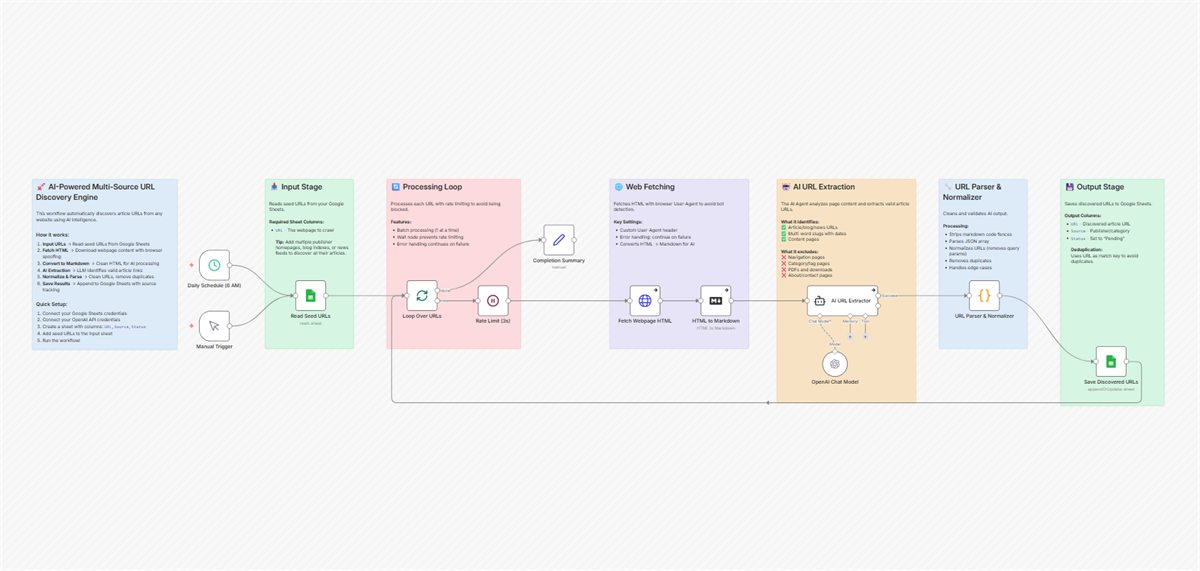 Template 11211
Discover Article URLs from Any Website with GPT-5 Mini and Google Sheets
View on n8n.io
(opens in a new tab)
Template 11211
Discover Article URLs from Any Website with GPT-5 Mini and Google Sheets
View on n8n.io
(opens in a new tab)
-
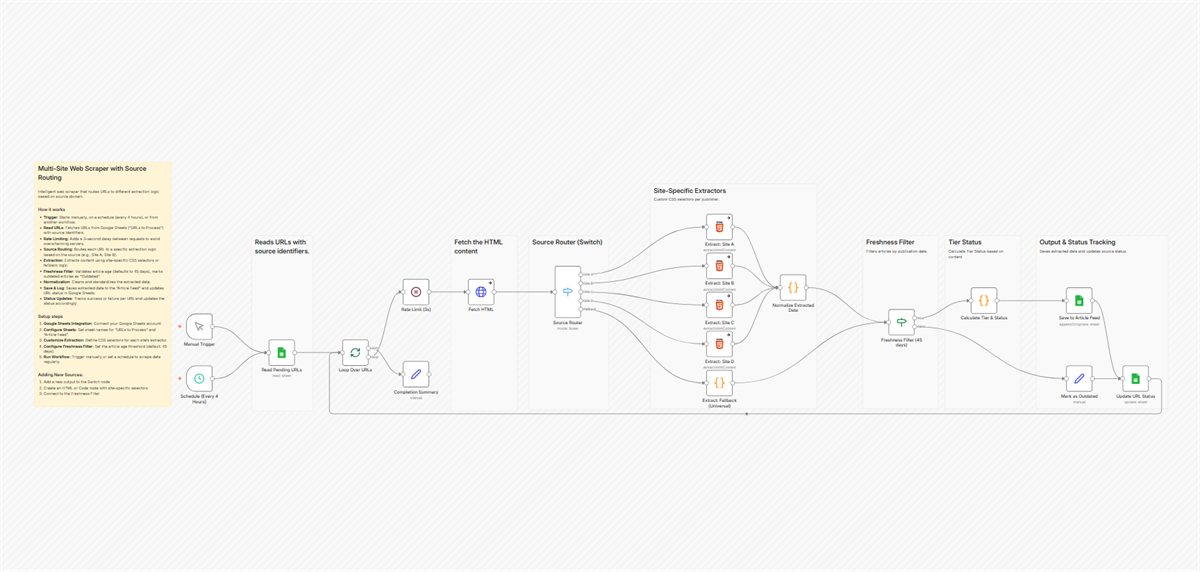 Template 11224
Build a Multi-Site Content Aggregator with Google Sheets and Custom Extraction Logic
View on n8n.io
(opens in a new tab)
Template 11224
Build a Multi-Site Content Aggregator with Google Sheets and Custom Extraction Logic
View on n8n.io
(opens in a new tab)
-
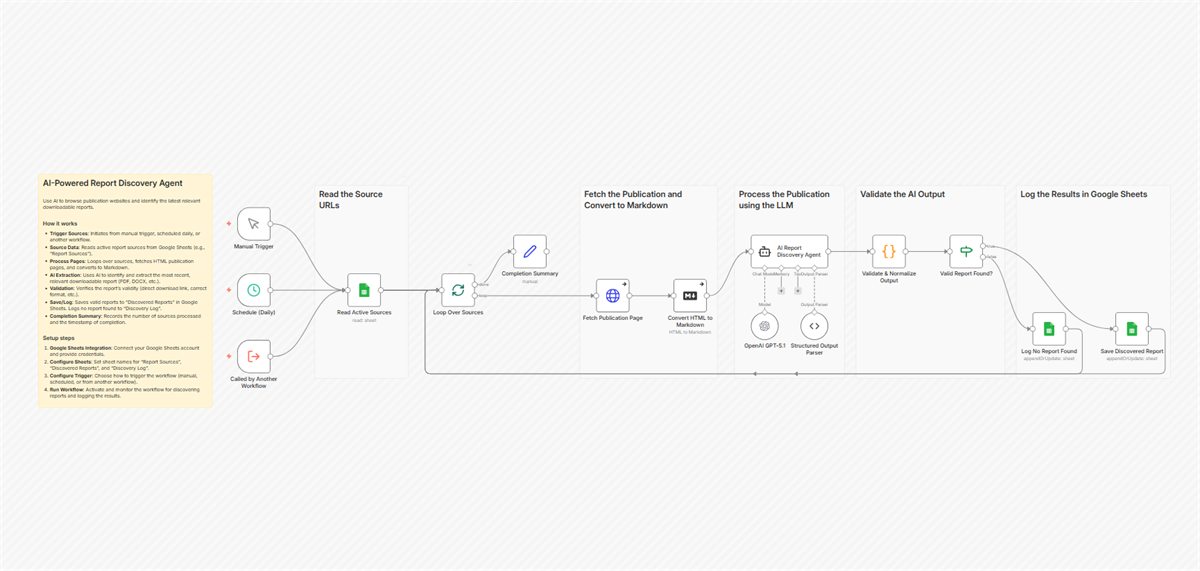 Template 11232
Automatically Discover and Extract Reports from Websites Using GPT and Google Sheets
View on n8n.io
(opens in a new tab)
Template 11232
Automatically Discover and Extract Reports from Websites Using GPT and Google Sheets
View on n8n.io
(opens in a new tab)
-
Template 11228
Automated PDF Report Downloader and Organizer with Google Drive and Sheets
View on n8n.io
(opens in a new tab)
-
Template 8333
Gmail Email Auto-Organizer with Google Sheets Rules
View on n8n.io
(opens in a new tab)
-
Template 7850
Automated Workflow Backups with Google Drive and Slack Notifications
View on n8n.io
(opens in a new tab)
Agents at work
A multi-agent pipeline we run ourselves
Our n8n Template Factory builds new workflows with two AI agents and a person in the loop. It is the same pattern we use for client agents: AI does the work, people approve what matters.
- 01 Collect trend signals The pipeline starts by collecting trend signals.
- 02 An AI agent proposes ideas A first agent turns the signals into concrete workflow ideas.
- 03 A person approves Nothing moves forward until a person has reviewed and approved the idea.
- 04 A second agent builds it Another agent builds the approved workflow.
- 05 Validated and deployed The workflow is validated before it is deployed.
Models and connectors
The right model for each job
We are not tied to one AI provider. We pick the model per task, and connect agents to your live business data through MCP servers, so an assistant can act within the limits you set.
-
Claude
Anthropic
-
GPT-4.1 and GPT-5 mini
OpenAI
-
Gemini
Google
-
DeepSeek
DeepSeek
How we build automation
-
People approve what matters
AI drafts. A person approves anything published or sent at scale.
-
AI output is checked
A second agent verifies claims against real data before a customer sees them.
-
Secrets stay in credential stores
Never in workflow text or code.
-
Failures are visible
Error handling, logs, Slack and Telegram alerts, and backups come with every build.
-
New automations start switched off
They go live once they are proven.
Common questions
Good to know
Which AI models do you use?
We choose the model for each job: Claude (Anthropic), OpenAI GPT-4.1 and GPT-5 mini, Google Gemini, or DeepSeek, rather than tying every workflow to one provider.
Will AI send messages to our customers without a review?
Not unless you want it to. A person approves anything published or sent at scale, and a second agent checks claims against real data before anything reaches a customer.
Can automation connect to the tools we already use?
Yes. We connect websites, CRMs, billing systems such as WHMCS, Google Workspace, Slack, Telegram, Calendly, and others through n8n, webhooks, and APIs.
Which work should run itself?
Describe one process your team repeats every week. We will tell you how we would automate it.